Free up cash without running short
Wyzestock works out a model stock for every item at every location from its forecast, its lead time and the service level it deserves. Then it shows you, in units and in rand, where you hold too much and where you are about to run out.
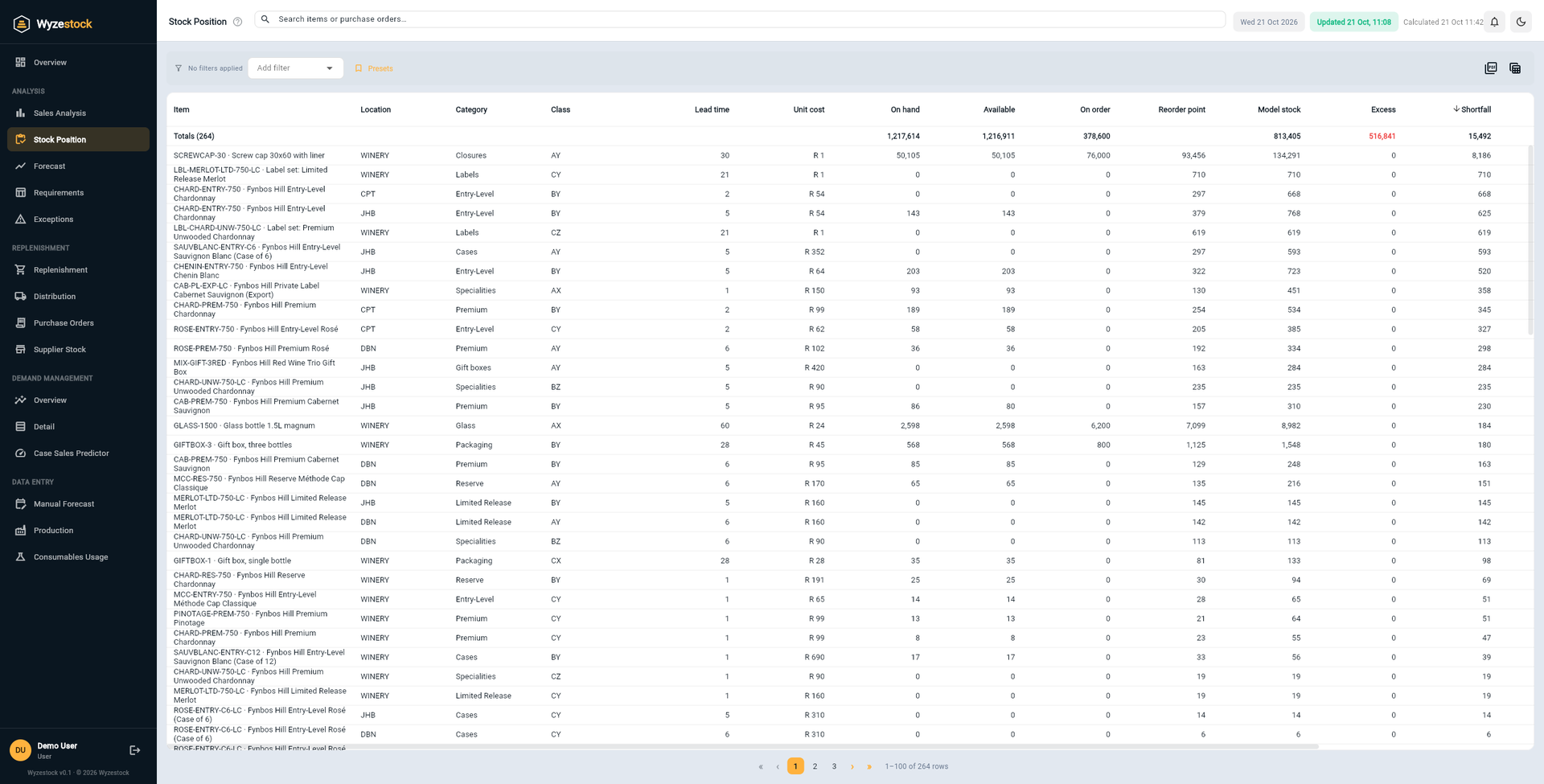
From a list of items to a target for each one
Wyzestock does the arithmetic for every item at every location, every day.
Every item is classified
Items are ranked A, B or C by the value of their annual usage, and X, Y or Z by how steady their demand is. Each of the nine classes gets the service level you set.
A target is calculated
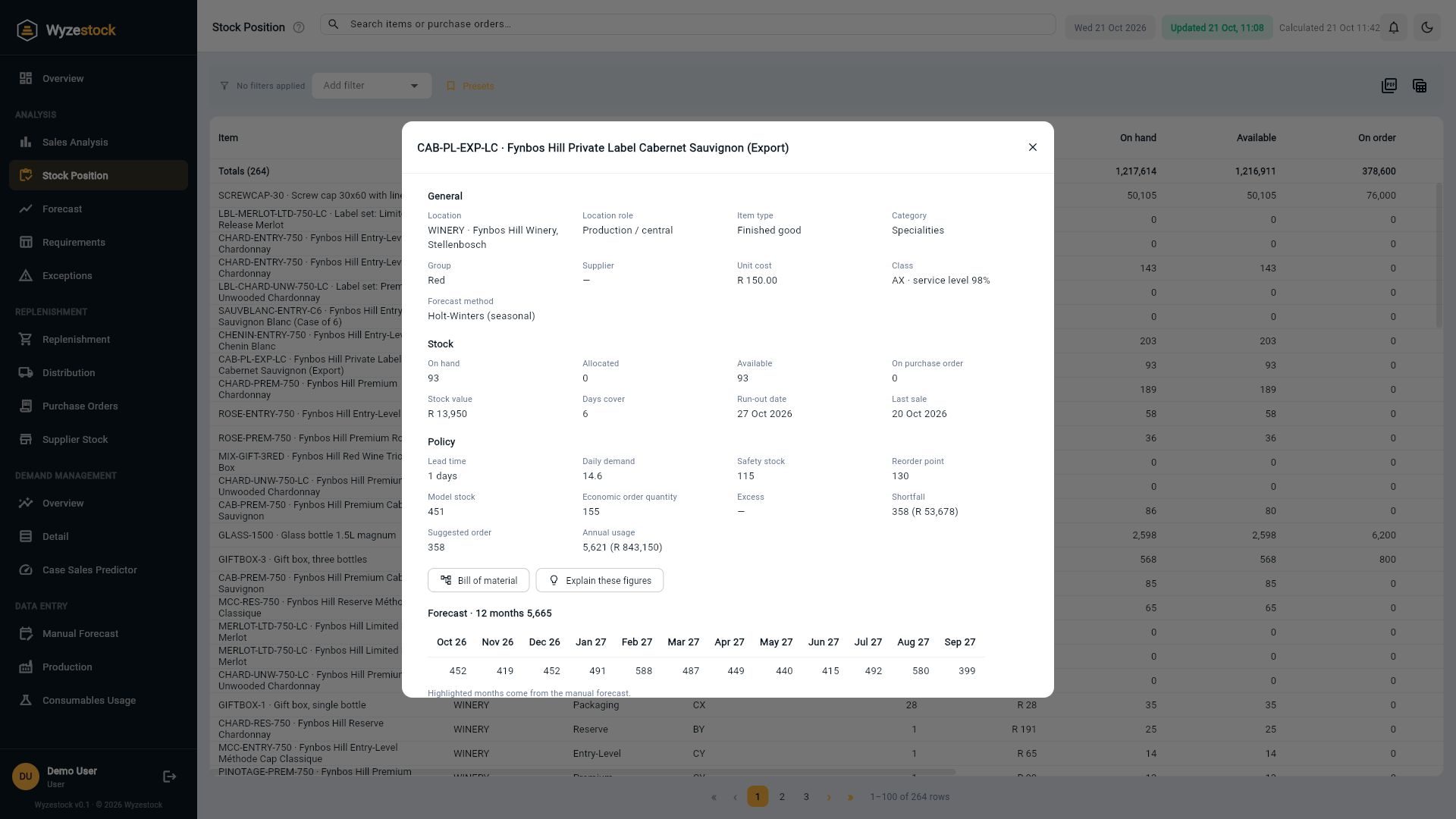
Safety stock comes from the service level and how far actual sales stray from the forecast. Model stock covers the lead time and the review period, plus that safety stock.
The gap is valued
Stock above the model is excess; stock below the reorder point is a shortfall. Both are valued at cost, so you can see the size of the prize.
Hold the stock that earns its place, and let the rest go
- See excess in randExcess above model stock, valued at cost, for every item, location, group and category.
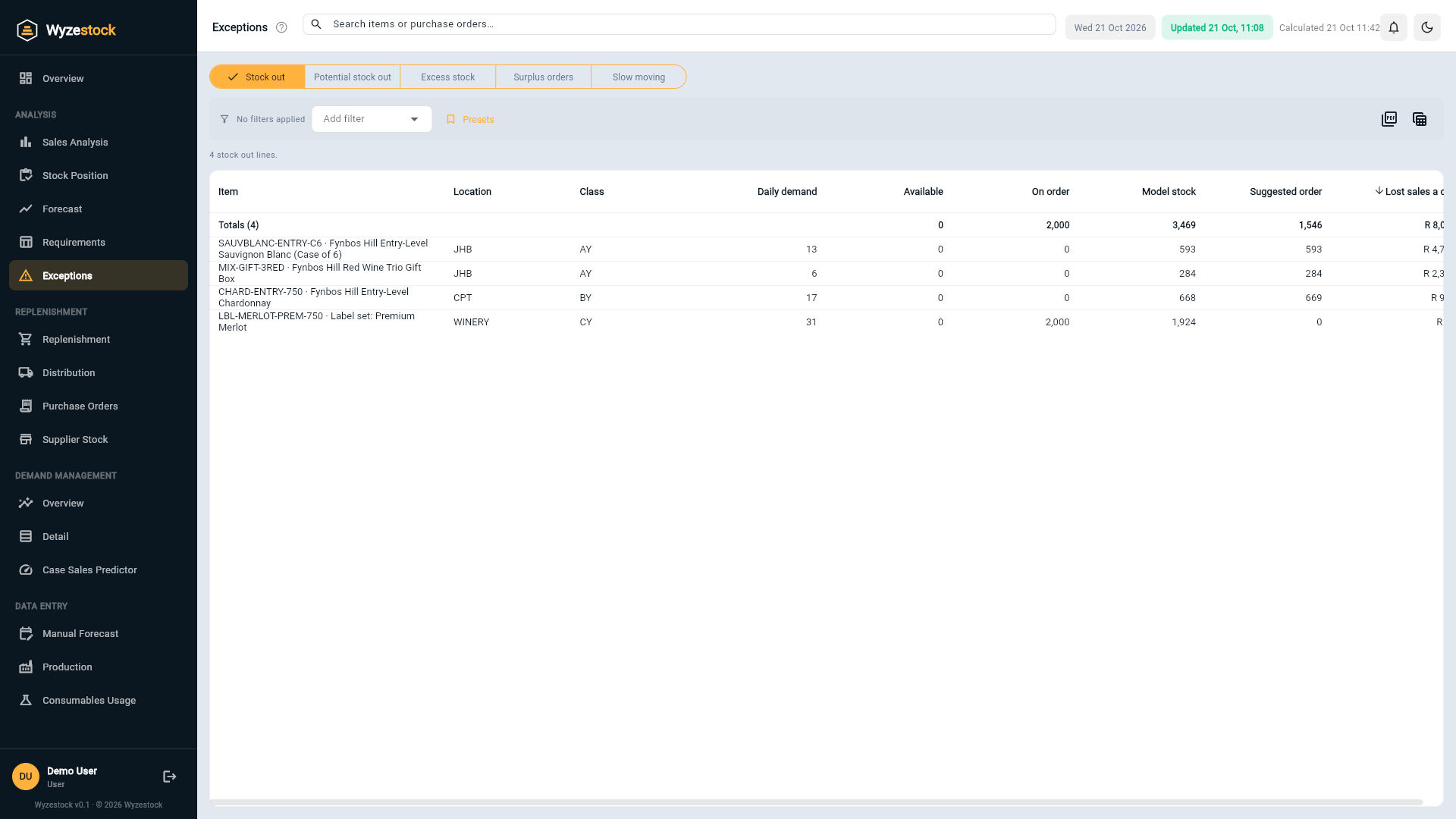
- Catch stock-outs earlyPotential stock-outs are items that will run out before a new order could arrive, flagged while there is still time.
- Find slow moversItems with no sale for 30, 60, 90 or 120 days, with the value tied up in each band.
- Protect what mattersA items with steady demand get a high service level; erratic C items do not, so safety stock goes where it pays.
- Trust the inputsLead times, minimum orders and pack sizes come from your ERP and can be set per item and location in Settings.
- Choose your methodUse the service-level method, or the simpler lead-time method many teams already know.
Stock optimisation drives everything else
The same model stock feeds replenishment, distribution and the demand management report. See how it fits together.
Frequently asked questions
What is model stock?
How is safety stock worked out?
Where do lead times come from?
Does it work with more than one warehouse?
How often is it recalculated?
See it on your own numbers
Tell us what you stock, where you hold it and which ERP you run. We will show you Wyzestock working on a demo company, then on your data.