Use the stock you already own
When one location is short and another holds more than it needs, Wyzestock suggests the transfer. Each depot draws from the sources you choose, in the order you choose, so you move stock before you buy or make more.
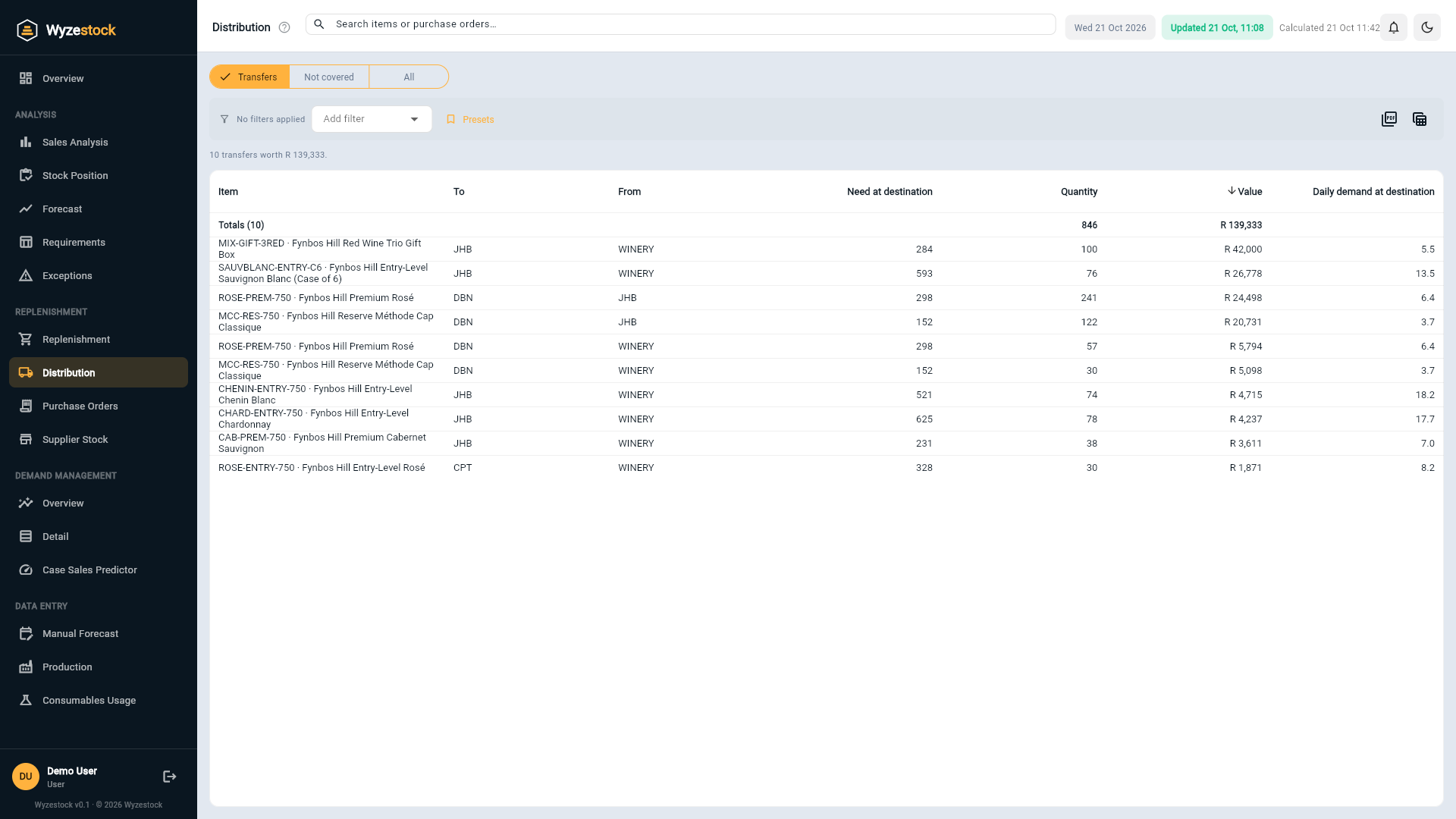
From a shortage to a transfer
Distribution runs after the stock calculation, for every item at every depot.
Shortages are found
Each depot's available stock is compared with its reorder point and model stock.
Sources are checked in order
Each depot has a ranked list of sources, usually the production location first and then other depots. Only stock above a source's own needs is offered.
Transfers and gaps
Wyzestock suggests the transfers, and lists the shortages that no location can cover, so you know what to make or buy.
Balance stock across your network before spending more
- Less buying, less makingCover a depot's shortage from another location's excess instead of a new order.
- Your rulesChoose which locations each depot may draw from, and in which order, in Settings.
- See what cannot be coveredLines with no source are listed with their value.
- Value every moveEach transfer shows the quantity and its value at cost.
- Drill into any itemPress a line to see the item at every location, with its forecast and bill of material.
- Export the pick listSend the transfers to the warehouse as Excel or PDF.
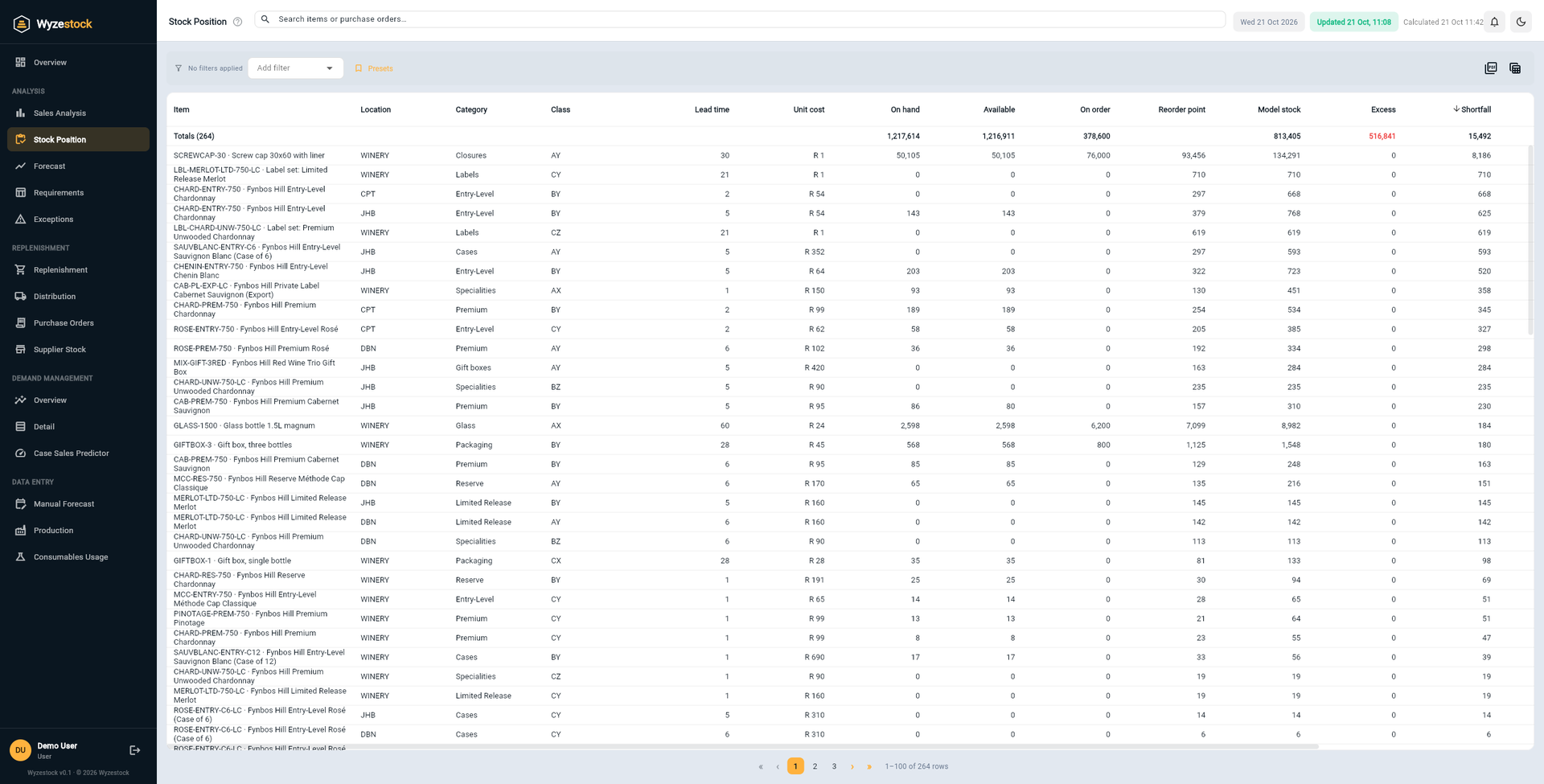
Distribution balances the same targets
Transfers use the model stock at every location, and what cannot be covered becomes a purchase suggestion. See how it fits together.
Frequently asked questions
Which locations can a depot draw from?
Will it strip a source location?
Does it create the transfers in my ERP?
What are the "not covered" lines?
See it on your own numbers
Tell us what you stock, where you hold it and which ERP you run. We will show you Wyzestock working on a demo company, then on your data.