Order what you need, when you need it
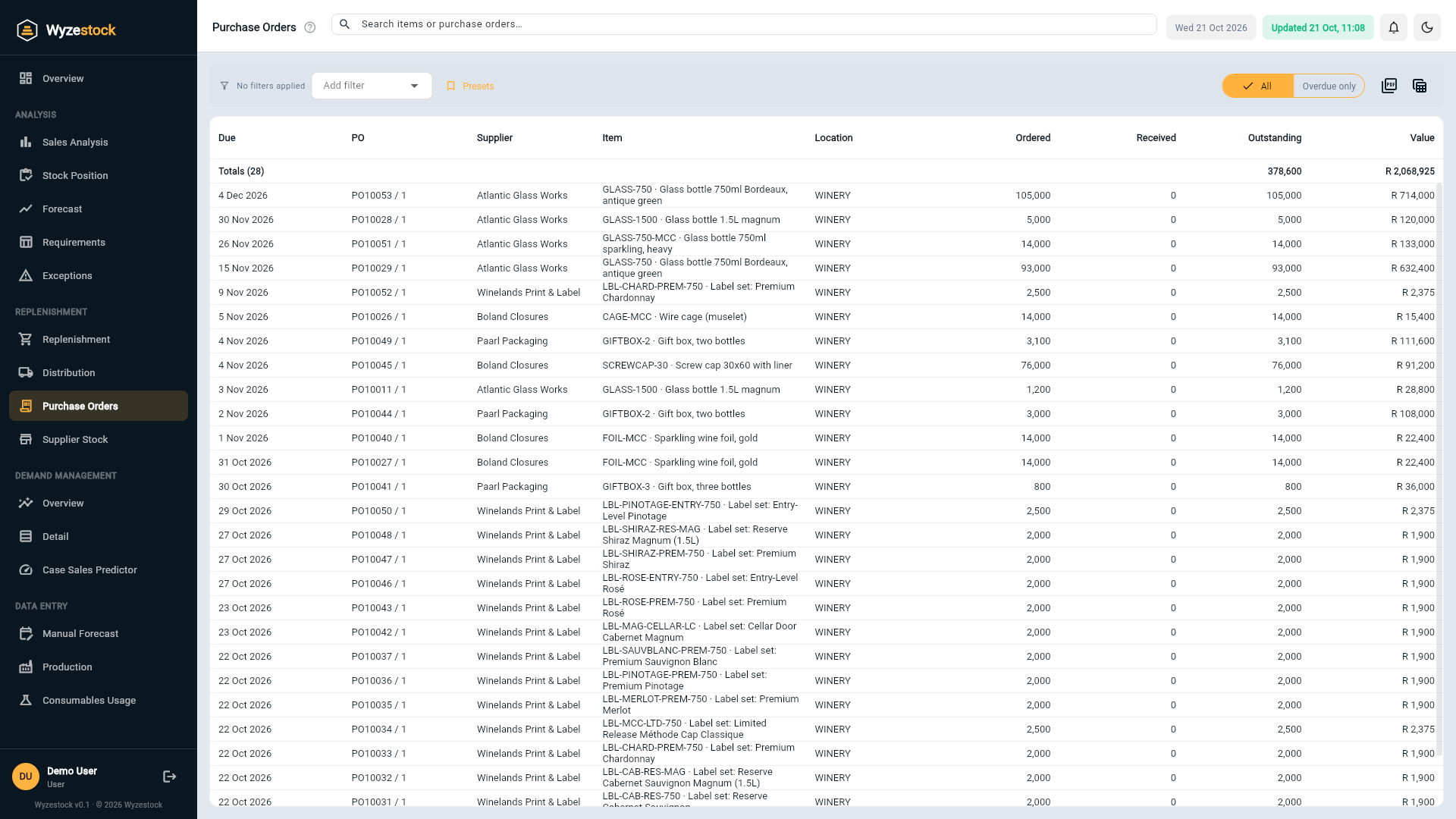
Wyzestock suggests what to order from every supplier, based on the model stock, what is already on order and the lead time, rounded to the minimum order and the pack size. It tracks your open purchase orders and flags the late ones.
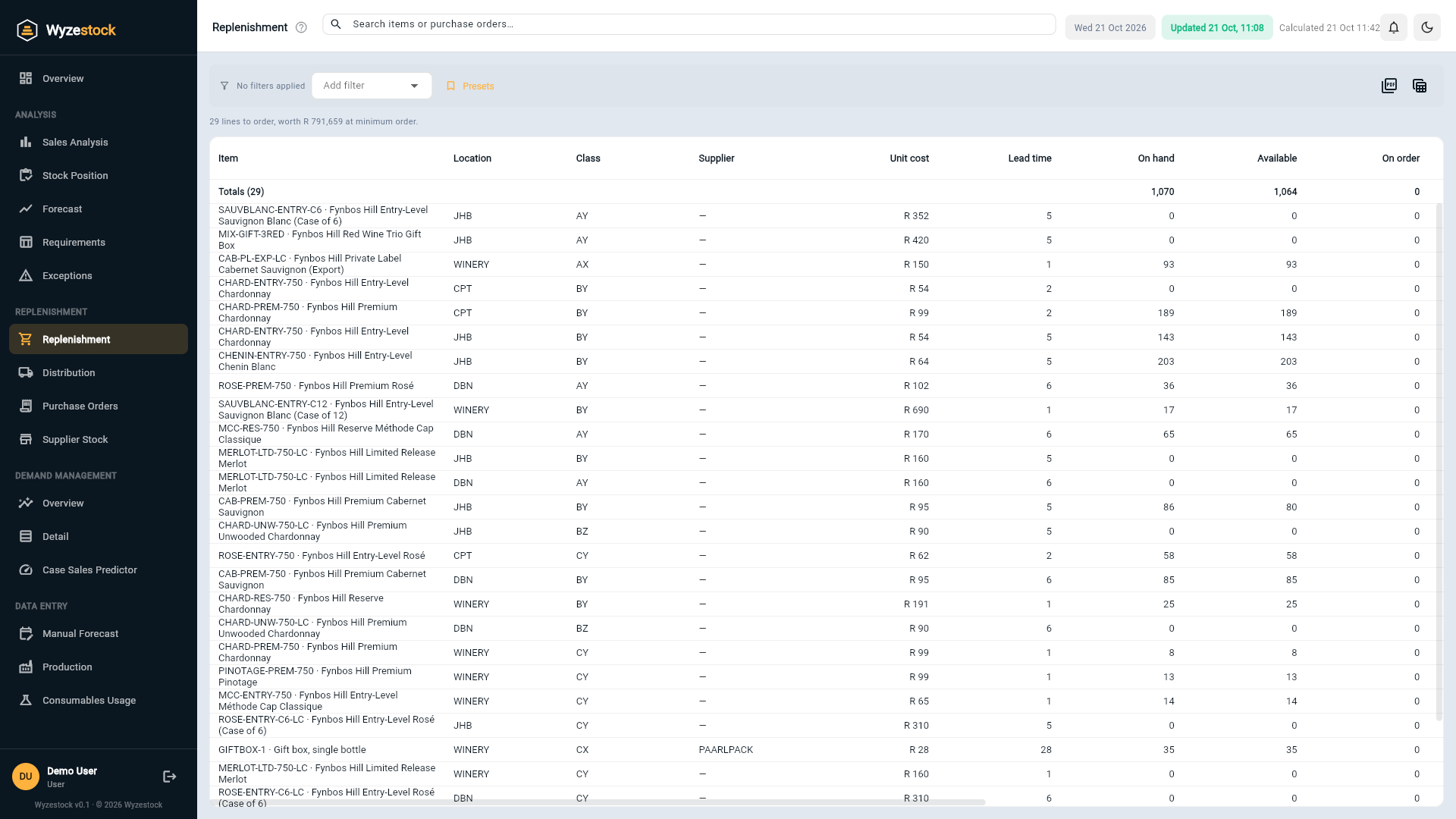
From a shortfall to a purchase order line
The suggestion is worked out item by item, then gathered by supplier.
Inventory position
On hand, less what is allocated to customers, plus what is already on order, for each item at each location.
Below the reorder point?
When the inventory position drops below the reorder point, Wyzestock suggests enough to bring it back up to the model stock.
Rounded the way you buy
The suggestion is lifted to the minimum order quantity and rounded to the order multiple, with the economic order quantity shown alongside.
A buying list you can trust, and fewer surprises from suppliers
- Buy by supplierFilter the list by supplier and see everything you should order from them today.
- Respect how suppliers sellMinimum order quantities and pack or pallet multiples per item and location.
- Avoid double orderingOpen purchase orders are counted, so a late order does not trigger a second one.
- Chase late ordersOverdue purchase order lines are shown in red, with their value.
- Spot surplus ordersOrders that would take stock well above the model are flagged before the goods arrive.
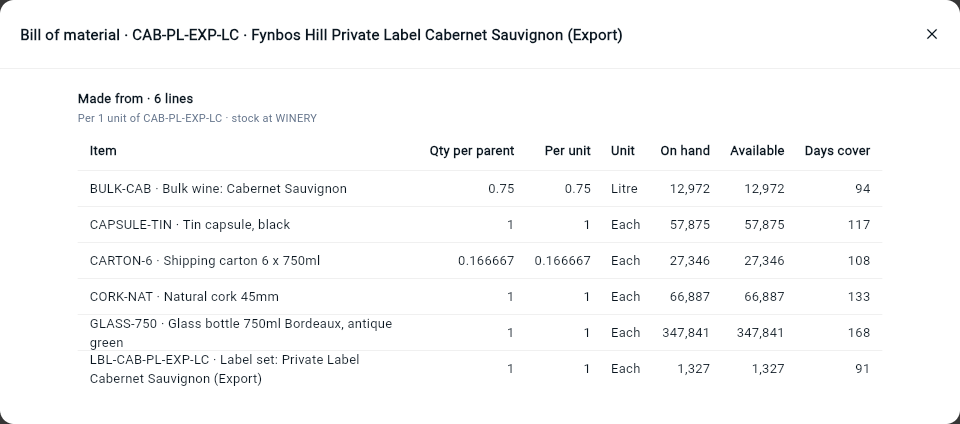
- Components tooRaw materials and packaging are suggested from finished-good demand through your bills of material.
Replenishment works from the same targets
Suggestions come from the model stock, and stock can often be moved between locations instead of bought. See how it fits together.
Frequently asked questions
What does the suggested quantity mean?
Does Wyzestock place the orders?
Can I export the list for a supplier?
What about supplier stock?
Can it plan raw materials and packaging?
See it on your own numbers
Tell us what you stock, where you hold it and which ERP you run. We will show you Wyzestock working on a demo company, then on your data.